01 / HALLOWEEN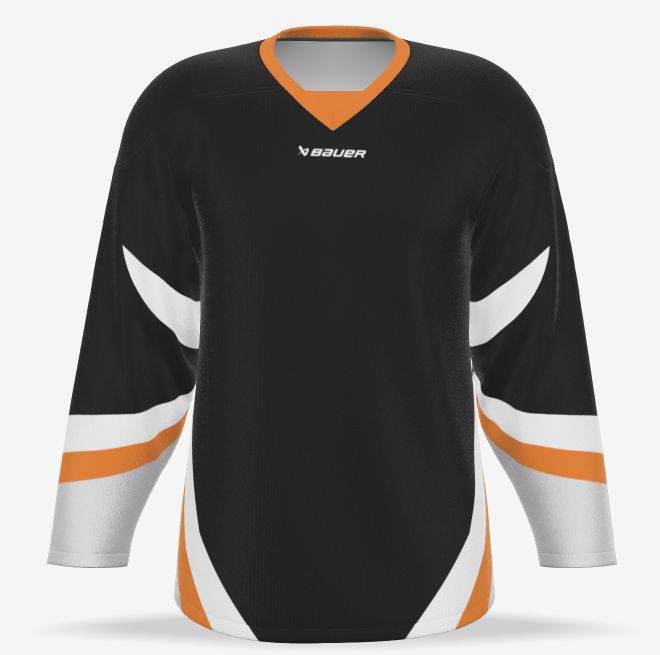
After-dark energy.
“Make me a BLACK hockey jersey with Pantone 165 C accents from its NHL container. Keep the white stripes.”
Bring your team’s look to life. Describe your colours, explore a new direction, and see it take shape in the Bauer 3D builder.
Private pilot · Guest designs · Powered by Custimoo
Your colours. Your team. Your next look.
Real 3D previews / Colour & text edits / Undo as you goStart with one of these prompts. Every jersey below was rendered in the actual Bauer builder.
“Make me a BLACK hockey jersey with Pantone 165 C accents from its NHL container. Keep the white stripes.”
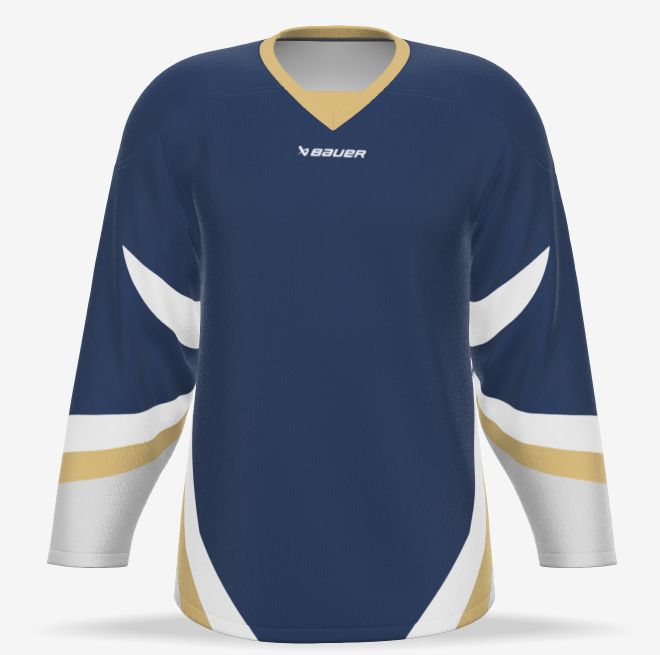
“Give the jersey a Pantone 282 C base and Pantone 1235 C accents from its NHL container. Keep the white stripes for contrast.”
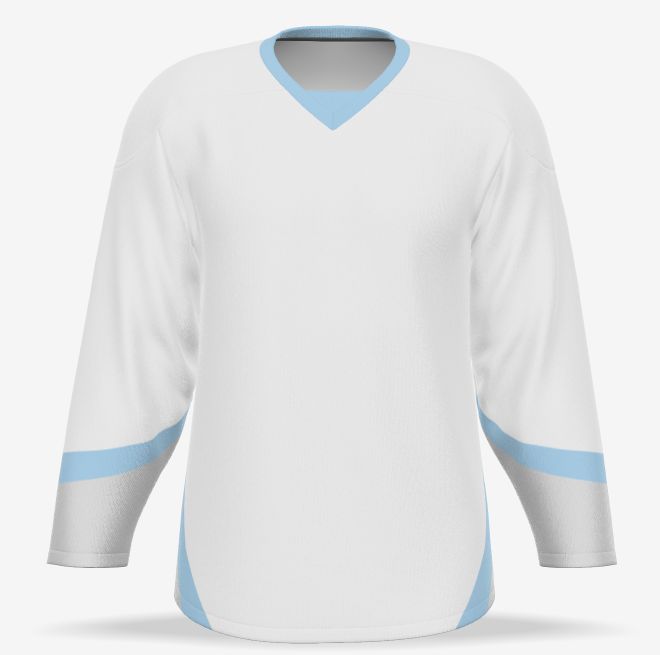
“Create a White - White jersey with Pantone 549 C accents from its NHL container on the collar and sleeve stripes.”
Use the private Bauer plugin in ChatGPT, or explore the same builder here. Small changes make a big difference.
Open the Bauer pluginIn ChatGPT, select the Bauer pilot and ask it to start a new jersey design. Keep the preview open while you work.
Try “change the accents to orange” or “set the player name to SORENSEN.” Use the product’s approved Pantone colours, then add logos, names, numbers, fonts or outlines. Names go on the back unless you ask otherwise.
Review the real 3D jersey, adjust your direction, or ask to undo the last change. You can also edit directly in the builder.
Open a fresh guest session and explore the actual Bauer builder. Try a palette, change it, or undo your last edit.
Your guest design starts when you open the builder.
Meet your next jersey.
Start a session or choose a look above to open the 3D preview.
This pilot uses separate guest designs. You can save and reopen local guest copies. Connecting your merchant account, account locker room and checkout is still in development.
Ask to save a local guest copy and keep its private saved link. That copy can reopen after a local service restart, with its artwork and player details. Unsaved guest sessions expire; local guest saves are separate from your merchant account.
This is a private testing plugin. The “Open in ChatGPT” link is for the account where the Bauer pilot was set up; it is not a public marketplace listing.
Use this server URL when creating your private MCP connection:
/mcpThis address is for the server you are viewing. A local address works on this Mac; ChatGPT needs a reachable private connection. Use your existing installed Bauer app for its configured connection.
Explore the actual Bauer catalogue, including socks and pant shells.
Try: “Show me Bauer pant shells and socks.”
Try: “Find the Herlev Eagles logo, show me the official image, then add it to the front after I confirm.”
Try: “Add another number on the right sleeve, then show the available fonts.”
Local pilot: ten registered products have cached default settings. Editing follows the selected product’s actual controls; catalogue browsing does not create a matching design.